
Bring Your Rug Inventory Online Faster with Ecommerce
Publish rugs, manage images, set prices, and keep your online store connected to the inventory you already manage in RMPro.

From Store to the Site
Pick Inventory
Select rugs from your store inventory and prepare them for online selling in RMPro today easily now.
Clean Details
Map names, fields, and categories so each rug appears clearly on your website for buyers.
Upload Faster
Publish product data and images while RMPro keeps running in the background during work.
Bring Your Rug Inventory Online with RMPro
Our eCommerce feature helps rug businesses move their in-store inventory to their website with less manual work and more control.
Instead of entering the same product details twice, your team can choose rugs directly from RMPro, organize them into eCommerce buckets, and publish them to your online store. Product information, images, prices, discounts, and categories can all be prepared inside RMPro before they appear on your website.
information
images
prices
information
images
prices
discounts
categories
Full control on the rugs that you want to sell online
Select the right rugs, build online buckets, and keep your website connected to live inventory data.
Select the right rugs, build online buckets, and keep your website connected to live inventory data.
Inventory Selection | Online Bucket Setup | Website Publishing
Upload, organize, and edit rug photos inside RMPro before publishing items to your online store.
Upload, organize, and edit rug photos inside RMPro before publishing items to your online store.
Multiple Rug Images tracking | Gallery Thumbnails | Built-In Photo Editing
Prepare Rugs for Online Selling with Less Manual Work
Publishing rugs online is not just uploading a few product names. Each item needs the right status, images, price, category, and product details before it goes live.
RMPro helps bring these steps into one place. Your team can create eCommerce buckets, choose which rugs belong in each bucket, and decide how those items should be grouped on your website. This makes it easier to organize products by style, origin, collection, category, or any other structure that fits your business.
Ready to See RMPro in Action?
Talk to an Expert
Talk directly with our team and get help finding the best next step for your business.
Reach Us by Email
Need details first? Email us and get clear answers without the back and forth.
Get Free Demo
Take a closer look at RMPro and see how it can fit your team, workflow, and growth plans.
Staff & Commission
Management
Keep daily staffing organized while tracking sales commissions and smoother payouts.
Pricing & Discounts
Set online rug prices, add discounts, and manage website offers without changing your store prices.
- Online Price Control
- Website Offer Tools
- Store Price Protection
Product Mapping
Clean rug names, map product fields, and show clearer categories across your online store pages.
- Clean Category Mapping
- Custom Field Labels motivation
- Vendor Name Control
Pricing & Discounts
Set online rug prices, add discounts, and manage website offers without changing your store prices.
- Online Price Control
- Website Offer Tools
- Store Price Protection
Product Mapping
Clean rug names, map product fields, and show clearer categories across your online store pages.
- Clean Category Mapping
- Custom Field Labels motivation
- Vendor Name Control
Keep Product Information Clear and Consistent
Selling rugs online can become confusing when product information is not organized well. Rugs often have many details, including origin, size, color, material, style, pattern, vendor, condition, and price.
RMPro helps your team prepare that information before it reaches the website. This is especially useful for rug stores because the same type of rug may appear under different names inside your system.
information
images
prices
discounts
categories
information
images
prices
Your Business
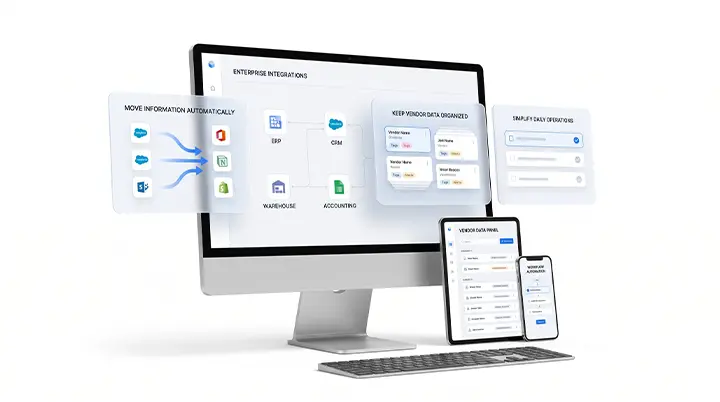
RMPro eCommerce connects your store inventory with your website, helping your team manage online selling from the same system you already use for daily operations.
You can choose products, create buckets, prepare images, set prices, apply discounts, organize categories, and publish the final information to your site. The goal is to make online selling easier to manage without adding more disconnected tools to your workflow.
Publishing rugs online is not just uploading a few product names. Each item needs the right status, images, price, category, and product details before it goes live.
a Better Process before
products go live.
RMPro helps bring these steps into one place. Your team can create eCommerce buckets, choose which rugs belong in each bucket, and decide how those items should be grouped on your website. This makes it easier to organize products by style, origin, collection, category, or any other structure that fits your business.